

How can you use your new items?
Log on in-game and wait for the purchase to process - you'll receive a message in chat when this occurs.
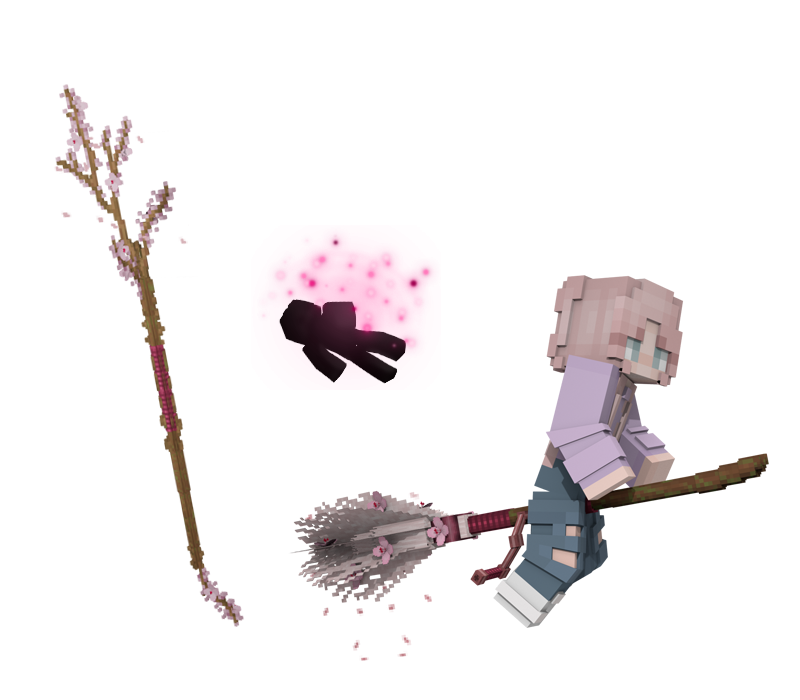
Notes: This will keep all your current spells and lore but change only the VISUAL APPEARANCE of your wand! Note that if you purchase this wand appearance and it is your first wand appearance, then you will not be able to change back to the wand you received when you first joined.
To equip your new broom appearance, simply type /brooms. Your Broom Appearances GUI will open and from there, you can select your new mount. To return your broom back to its original state, return to the Broom Appearances GUI and select Reset Broom. Note that you must already have a broom in-game in order to use this appearance.
Want to try these items out in-game?
Log on in-game and type /me and then click on the In-Game Store button. You can then visit Mr. Jollivan's Wand Shop, Madame Mym's, Nate Salamander's, or the Miscellaneous store and right-click the store owners to open GUIs containing every wand appearance, hat, or housing scenery we sell on the store. Select the relevant item to view it in-game!
This bundle includes three items: